 Droplert
Why single-store trackers miss most of your shopping
Most price trackers are built around one store. There are good ones for Amazon, a few for the biggest marketplaces, and then very little. That works if every purchase comes from the same site. For most people it doesn't.
A typical wishlist is spread out: a phone on a marketplace, trainers from the brand's own shop, a sofa from a furniture store, a kettle from a local retailer that happens to be cheapest in your city. A tracker that only understands one of those sites leaves the rest to memory and manual checking.
The fix is a tracker that doesn't need to know the store in advance. Instead of shipping a list of supported sites, it lets you point at the price on whatever page you are looking at.
How tapping the price works on any page
Every shop lays out its pages differently, so there's no single rule for finding the price. Droplert skips the guessing and asks you instead.
- Open the product in the shop's app or in Chrome. Choose the size, colour or bundle you would actually buy, so the page shows that exact price.
- Share it to Droplert. Tap Share, then Droplert. Or copy the link and paste it into the app. Droplert loads the same page.
- Tap the price once. Droplert remembers where that number sits on the page and shows you what it read. If it looks right, tap Track it.
- Pick a check schedule and, if you like, a target. Options run from every hour to once a week, set per product. Alerts can fire on drops, on rises, or when the price reaches your target.
From then on, checks run in the background. Each one is saved to the product's price history, so you can see the highest and lowest price since you started.
What kinds of sites it works on
Because you show Droplert where the price is, it isn't tied to a fixed list. These are the kinds of shops people track most, with a guide for each where one exists:
| Type of shop | Examples | Worth knowing |
|---|---|---|
| Big marketplaces | Amazon, Flipkart, eBay, AliExpress | Several sellers can share one listing, and the price can change with the seller |
| Big-box and furniture | Target, IKEA | Prices can differ by region or store, so track the page you'd buy from |
| Brand stores | Shopify-based shops and other direct-to-consumer brands | Often run their own sales that never appear on marketplaces |
| Regional stores | Daraz, Noon | Local currencies are read straight from the page |
| Local shops with a website | Your city's electronics or appliance retailer | Often the cheapest option, and the one no other tracker covers |
The one hard requirement is a web page that shows the price. If a shop only quotes prices by message, or posts them in a social media image, there's nothing for a tracker to read.
Some sites block automated checks
It would be easy to claim every site works. Not every site does. Some shops use bot protection that blocks automated visits, including a price check running quietly on your phone. Others show a "verify you're human" screen to any visitor they don't recognise.
When that happens, Droplert doesn't pretend nothing changed. The check is marked as failed on the product, so you know the price wasn't read, and it tries again on the next scheduled run. A one-off failure is usually nothing to worry about. A product that fails run after run needs a look.
If a product keeps failing:
- Open it in Droplert and tap the price again. Shops redesign their pages, and re-tapping teaches Droplert the new spot.
- Check that the page still exists and the item is in stock. A removed or sold-out listing often has no price to read.
- Send the link to support@droplert.app. The stores people ask about most get fixed first.
Getting a clean reading on unfamiliar pages
On a site you haven't tracked before, a few seconds of care at the tapping step saves confusion later.
Tap the price you'd pay today
Pages often show more than one number: an old price struck through, a "from" price for the cheapest variant, a monthly instalment, a price per kilo. Tap the one you would actually be charged for the item you picked.
Watch for prices that live elsewhere
Some discounts only appear in the basket or at checkout, such as a code or a member price. A tracker reads the product page, so it follows the page price. The real deal can be slightly better than the alert.
Check the first reading
After you tap Track it, look at the first saved price. If it matches the page, you're set. If it picked the wrong number, tap the price again.
One watchlist across stores and currencies
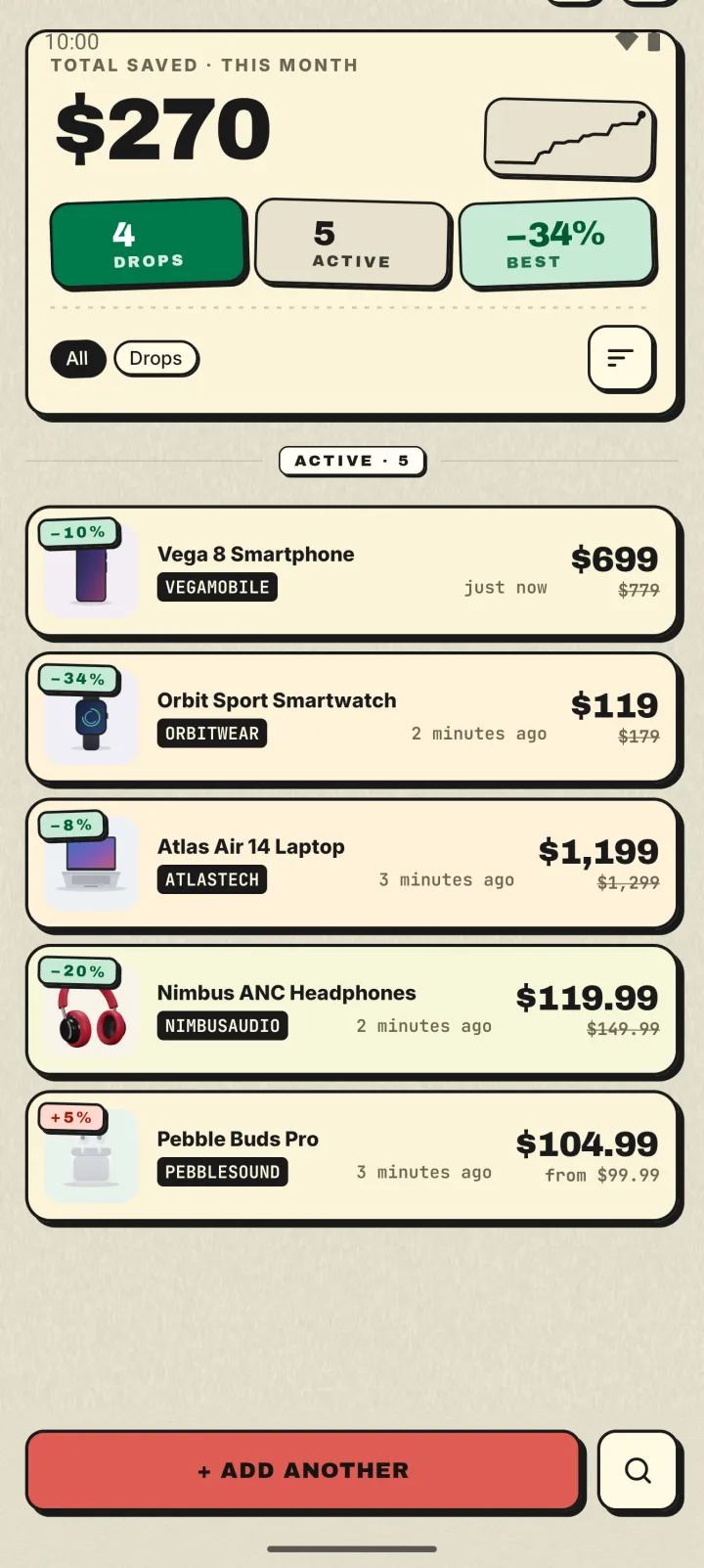
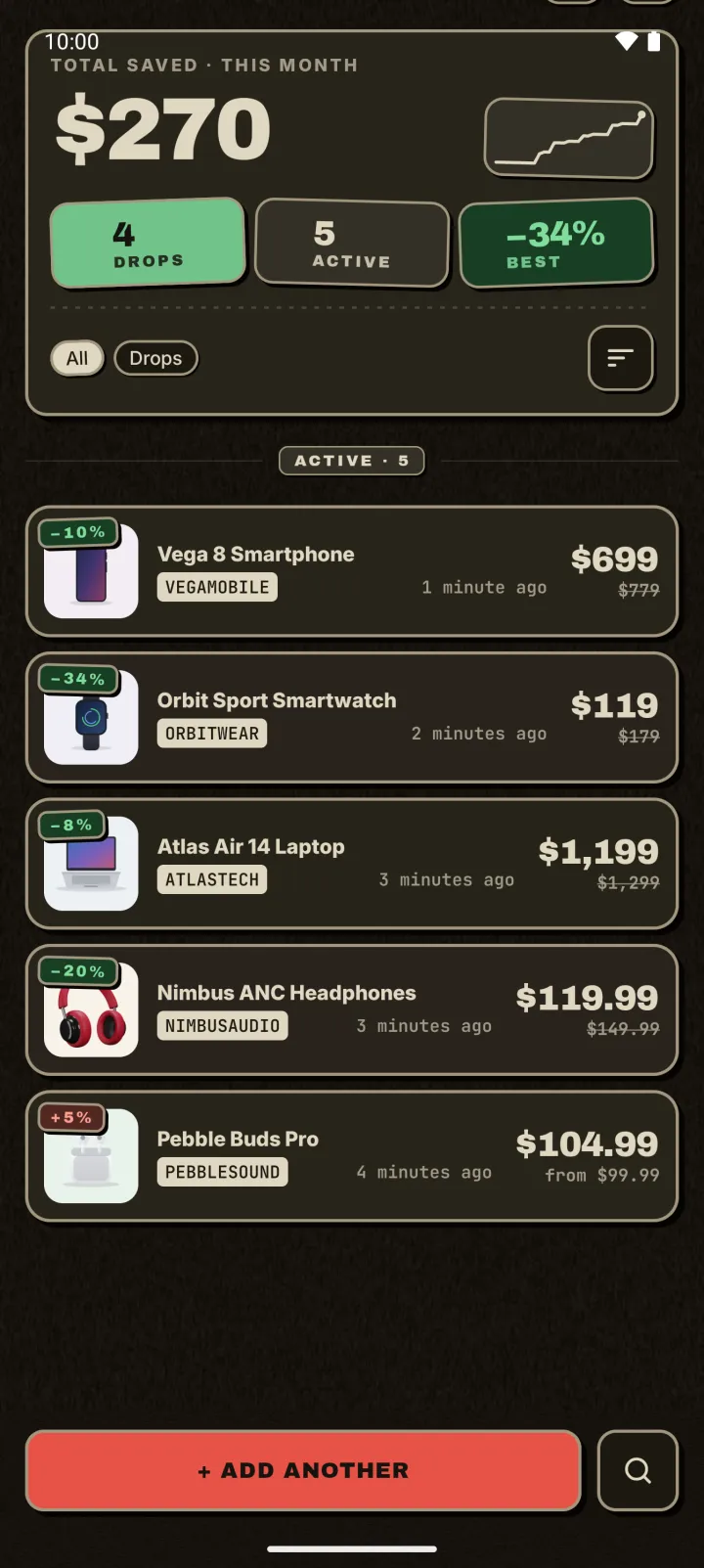
Droplert detects more than 50 currencies from the page, so a single list can hold a laptop priced in rupees, a jacket in pounds and a lamp in dollars. Each keeps its own schedule and its own alerts.
This is also the easiest way to compare stores. Add the same item from two or three shops and let the history show which one is usually cheaper, and which one only looks cheap during a sale.
A home-screen widget shows your list at a glance, and you can back up the whole watchlist to a file and restore it on a new phone.
Questions
Does it really work on any website?
Almost any shop that shows a price on its product page. A small number of sites block automated checks, and those can fail. Droplert flags failed checks rather than going quiet.
Can it show price history from before I added a product?
No. History starts the moment you start tracking. If you think you'll want something later, add it now so there's a record when you need it.
Is it free?
The free plan covers up to 5 products, hourly checks and 30 days of history. An optional upgrade gives unlimited products, checks as often as every 15 minutes and a year of history.
Do I have to create an account?
No. There's no sign-up, and your watchlist stays on your phone.
Is there an iPhone version?
No. Droplert runs on Android 10 and newer only.