 Droplert
Why track Amazon prices at all
Amazon prices are not fixed. The same item can cost different amounts on different days, and a red "deal" badge only compares against a list price that the item may rarely sell at. The only way to know whether today's price is actually good is to see what it has been.
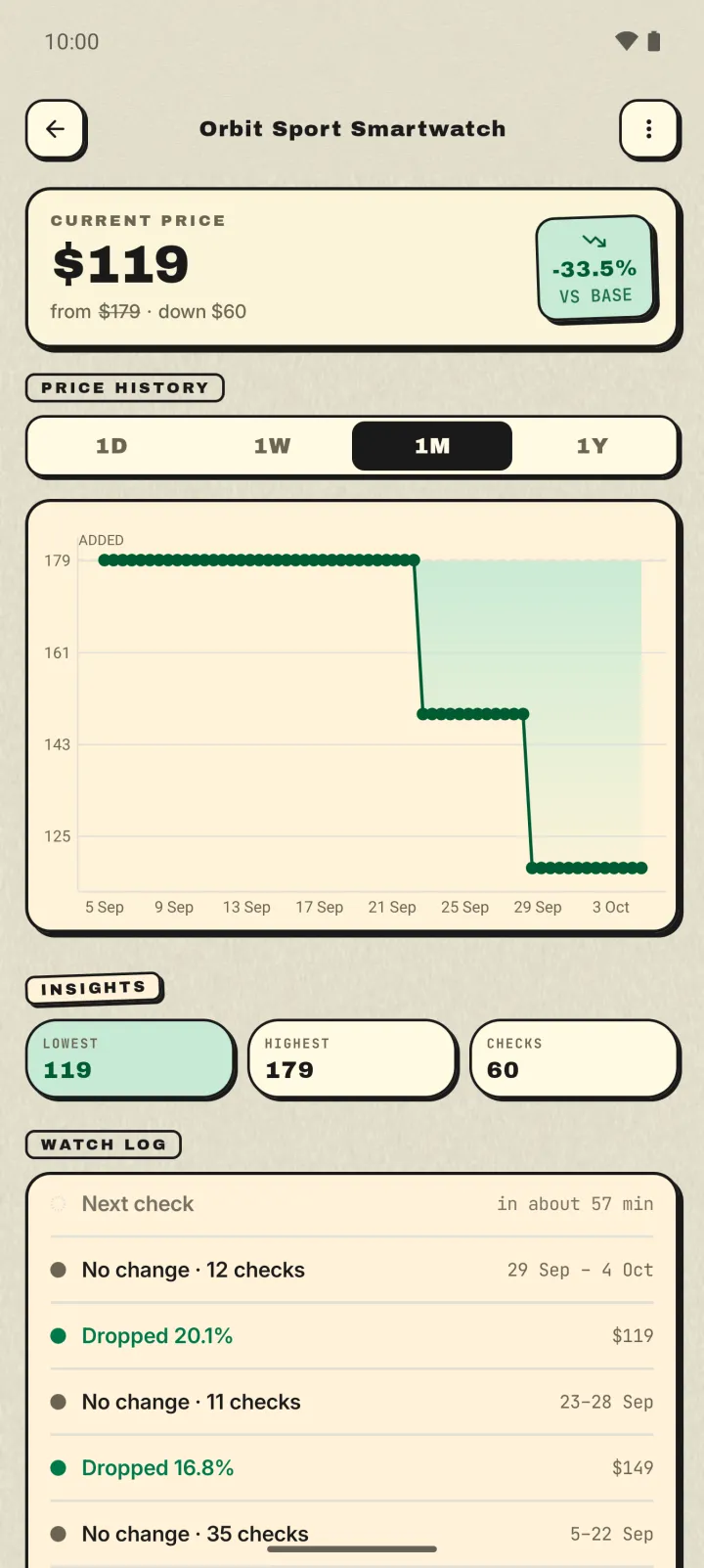
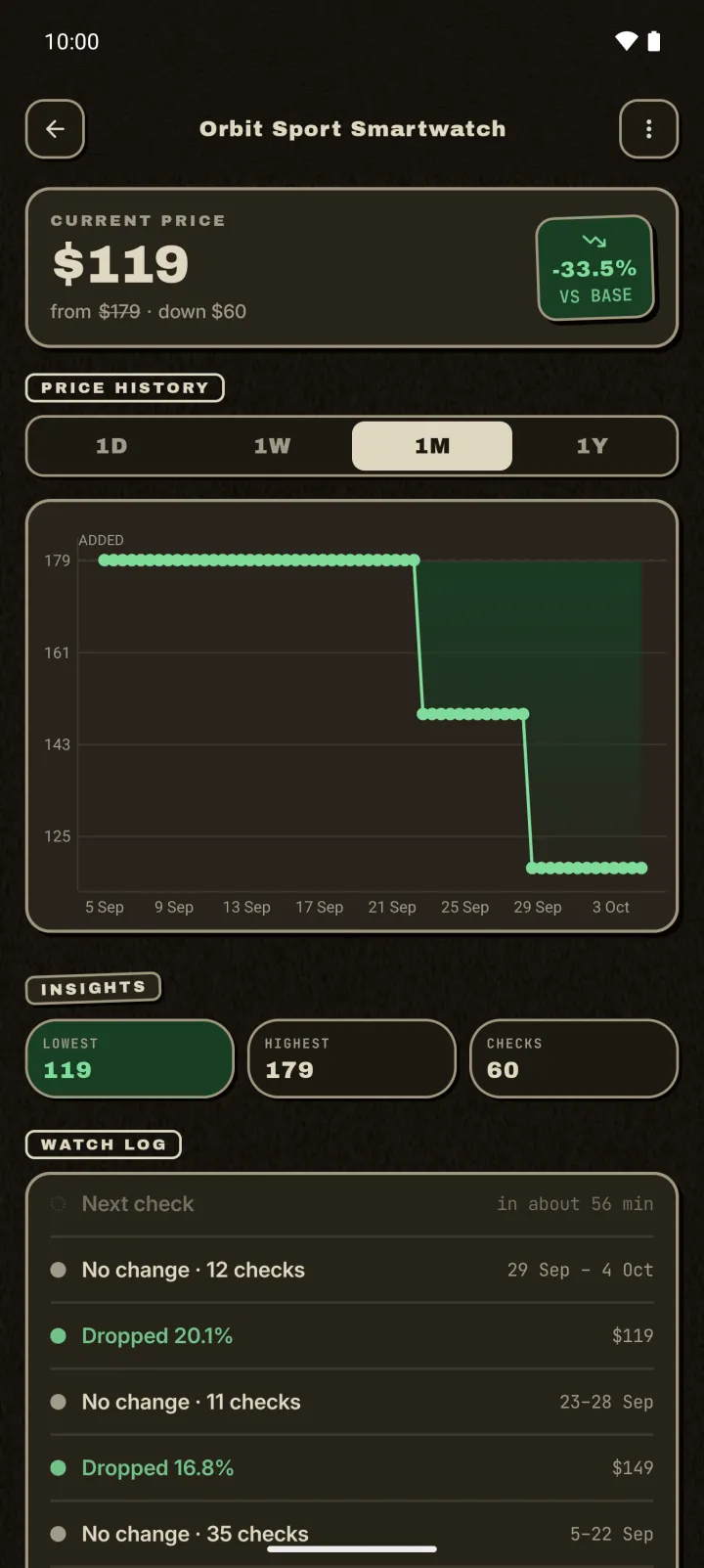
A price tracker does the watching for you. It checks the product on a schedule, keeps a price history, and tells you when the price falls or hits a number you picked. You stop refreshing the page, and you stop guessing.
Set up an Amazon price alert in 4 steps
- Open the product in the Amazon app or in Chrome. Pick the exact size, colour or configuration you want first. Each variant has its own price, and you want to track the one you'll actually buy.
- Tap Share, then Droplert. Droplert opens the product page. If sharing isn't handy, copy the link and paste it into Droplert instead.
- Tap the price you would pay. Droplert remembers where that price sits on the page and confirms what it found. Tap Track it.
- Choose how often to check, and set a target price if you have one. Hourly is plenty for most things. Slower schedules are fine for big purchases you are not in a hurry for.
Amazon details that trip people up
Tap the price you pay, not the struck-out one
Amazon often shows a crossed-out "List price" or "Typical price" next to the real one. Tap the bold price in the buy box. That's the number you'd be charged, and it's the one worth tracking.
Unit prices
Groceries and household items often show a second, smaller price such as "$0.42 / count" or "₹12 / 100 g". That's a per-unit figure, not what you pay. Tap the main price instead.
Coupons and Subscribe & Save
A "clip coupon" or Subscribe & Save discount is applied at checkout. It usually isn't part of the price on the page. A tracker sees the page price, so a coupon can make the real deal a little better than the alert says.
Sold by someone else
When several sellers offer the same item, the buy box can switch between them, and so can the price. If a drop looks too good, open the page and check who the seller is before you buy.
Amazon India, UK and other regions
The steps are the same on Amazon.in, Amazon.co.uk and the other Amazon stores. Droplert reads the currency from the page, so a single watchlist can mix an Amazon.in phone, a UK kettle and a US gadget, each in its own currency.
Indian prices are written with lakh grouping (₹1,24,999). Droplert reads them as the full amount, so the alert shows the right number.
Big sale events such as Prime Day, the Great Indian Festival and Black Friday are when tracking pays off most. Add the products you want a week or two early. You'll have a baseline, and you'll be able to tell a real sale price from a marked-up "discount".
How to pick a good target price
A target price turns tracking into a decision you've already made: "I'll buy it at this price." Some simple ways to choose one:
- Watch a week first. Track without a target for a few days, look at the lowest price in the history, then set your target at or just under it.
- Use a round percentage. 15–20% under today's price is a reasonable wish for most electronics and household items, especially around big sales.
- Ignore small wobbles. If you only care about real drops, set a minimum change so a few cents up and down doesn't trigger an alert.
When an Amazon check fails
Now and then Amazon shows an automated-traffic check ("continue shopping") or changes its page layout. When a check can't read the price, Droplert tries again on the next run and flags the product, so it never just goes quiet. If one product keeps failing, open it, tap the price again, and Droplert will re-learn where the price sits.
Still stuck? Email the link to support@droplert.app. The stores people report most get fixed first.
Droplert vs Keepa vs camelcamelcamel
Keepa and camelcamelcamel are well-known Amazon price trackers, and both are good at what they do. Pick the one that fits how you shop:
| Best for | Trade-off | |
|---|---|---|
| Keepa | Deep Amazon price history going back years, mainly on desktop | Amazon only. Lots of charts to learn |
| camelcamelcamel | Free Amazon price history and email alerts on the web | Amazon only. Alerts by email |
| Droplert | Phone-first alerts on Amazon and almost any other shop, no account | History starts when you start tracking a product |
If all your shopping is on Amazon from a laptop, the first two are worth a look. If you shop from your phone across Amazon, local stores and smaller brands, one tracker for all of them is simpler.
Questions
Is it free?
Yes. The free plan tracks up to 5 products with hourly checks and 30 days of history. An optional upgrade removes the limit, adds checks as often as every 15 minutes, and keeps a year of history.
Do I need an Amazon or Droplert account?
No. Droplert doesn't ask for an account, and it never signs in to Amazon. Your watchlist and price history stay on your phone.
Will it drain my battery?
No. Checks run in the background on the schedule you choose, and Android batches them with other background work. Slower schedules use less.
Does it work on iPhone?
Not yet. Droplert is Android only, Android 10 and newer.